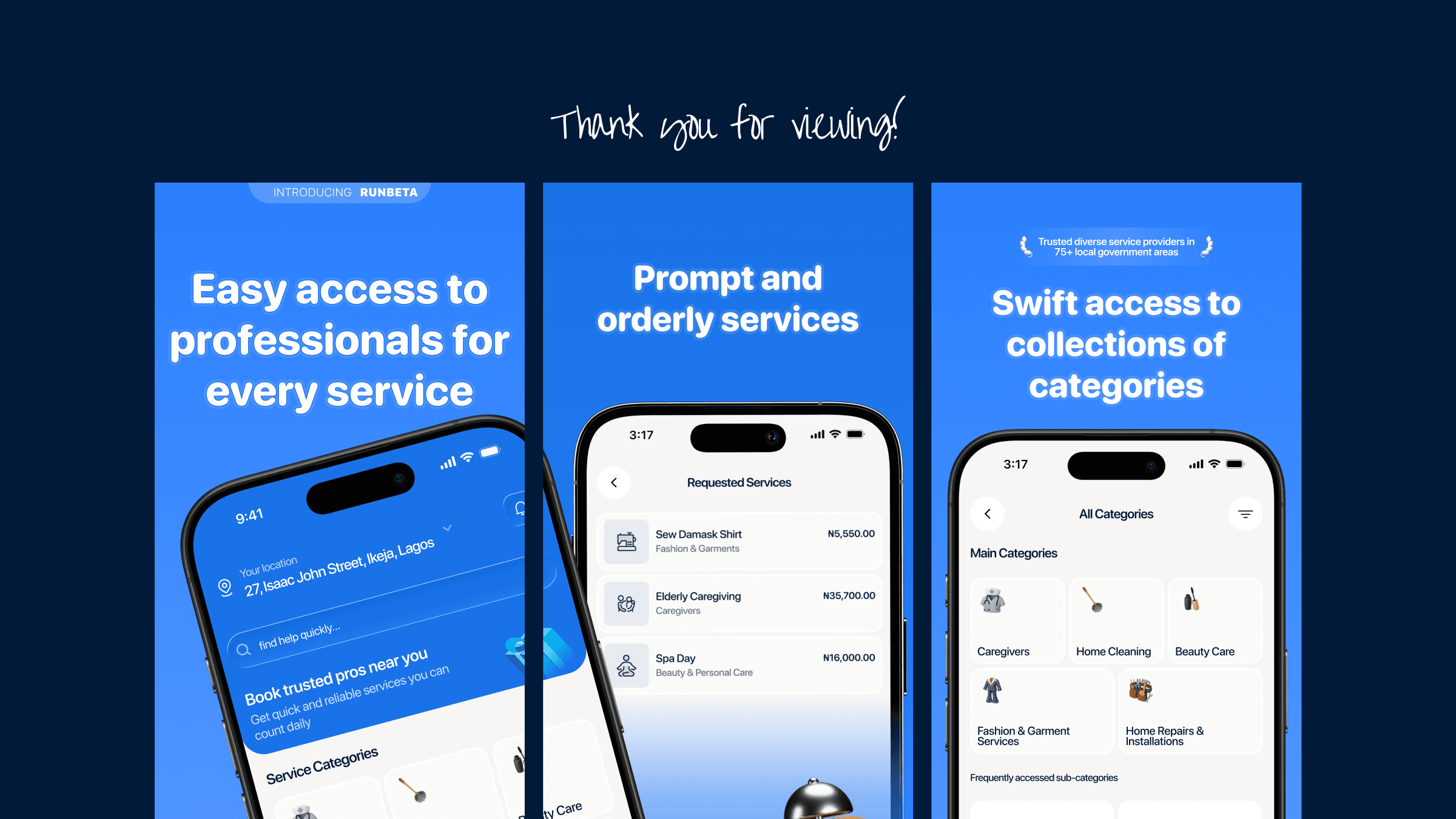
Rebuilding a service marketplace around the potential of the idea.
RunBeta connects people who need things done with local providers who can do them.
I redesigned both sides of the marketplace in 21 days, rebuilding the experience across 100+ screens and 14+ flows — from onboarding and service discovery to active jobs, trust, payment, and provider workflows.
- Project
- RunBeta
- Role
- Senior Product Designer / Founding Product Designer
- Timeline
- 21 days
- Platform
- Mobile
- Scope
- Customer app + Provider app
- Output
- 100+ screens, 14+ flows
- Status
- Redesign shipped and currently in use
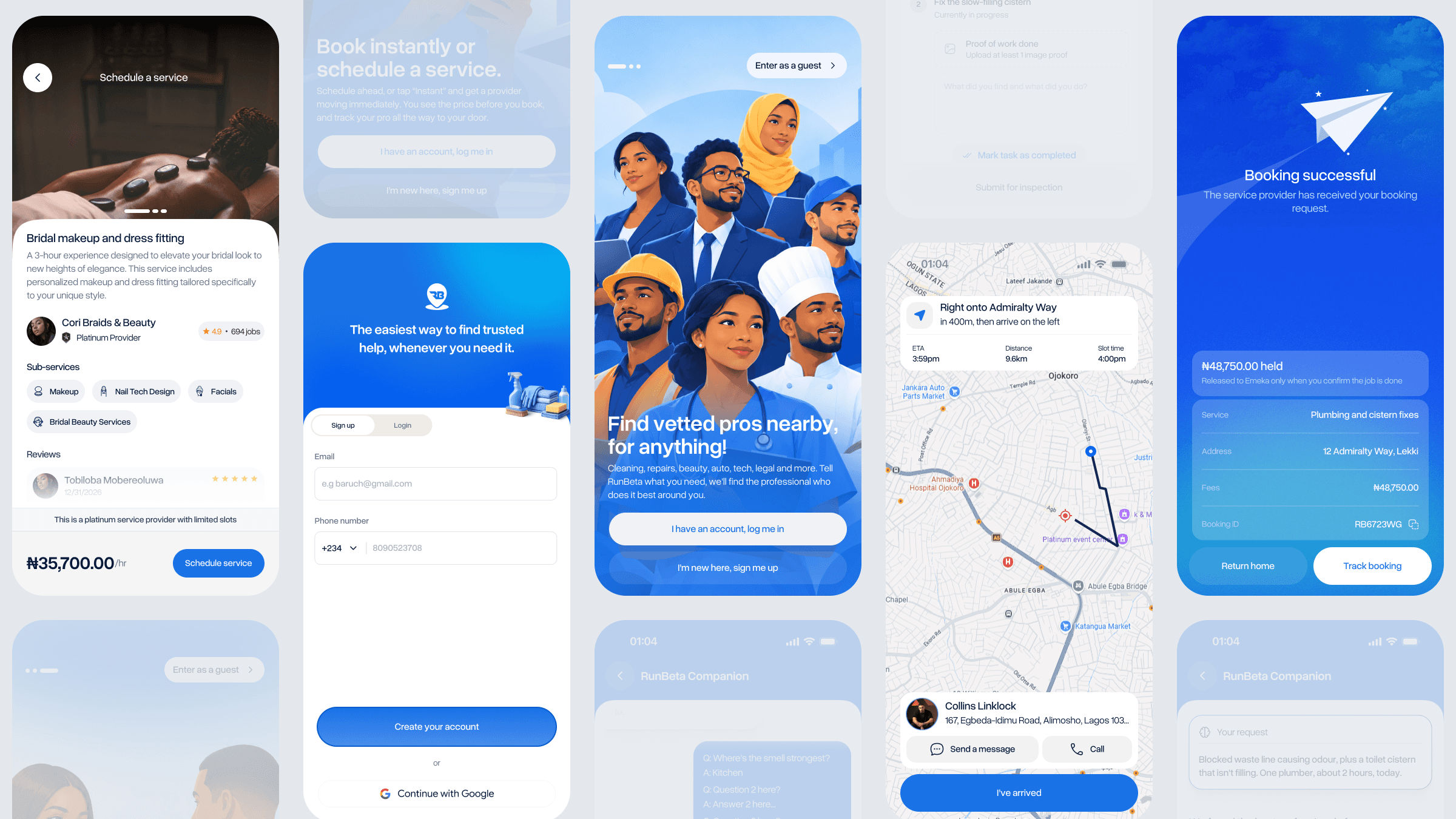
Trust shouldn't become a barrier to getting started.
The existing onboarding asked users to provide information, complete NIN verification and go through face scanning before they could properly enter the product.
The intention was understandable: RunBeta needed trust between customers and providers.
But asking users to solve all of that before experiencing the product created unnecessary friction.
So I redesigned onboarding around a simpler principle:
Get users into RunBeta first. Build the rest of their profile progressively.
The new flow allows users to sign up using:
Additional profile information can then be completed from the dashboard instead of becoming a prerequisite for using the product.
I compared competitor approaches and tested prototype variations with users. The simpler flow was overwhelmingly preferred, with users specifically appreciating that they no longer had to search for documents to scan before getting started.
The goal wasn't to remove trust. It was to stop trust from becoming the front door.
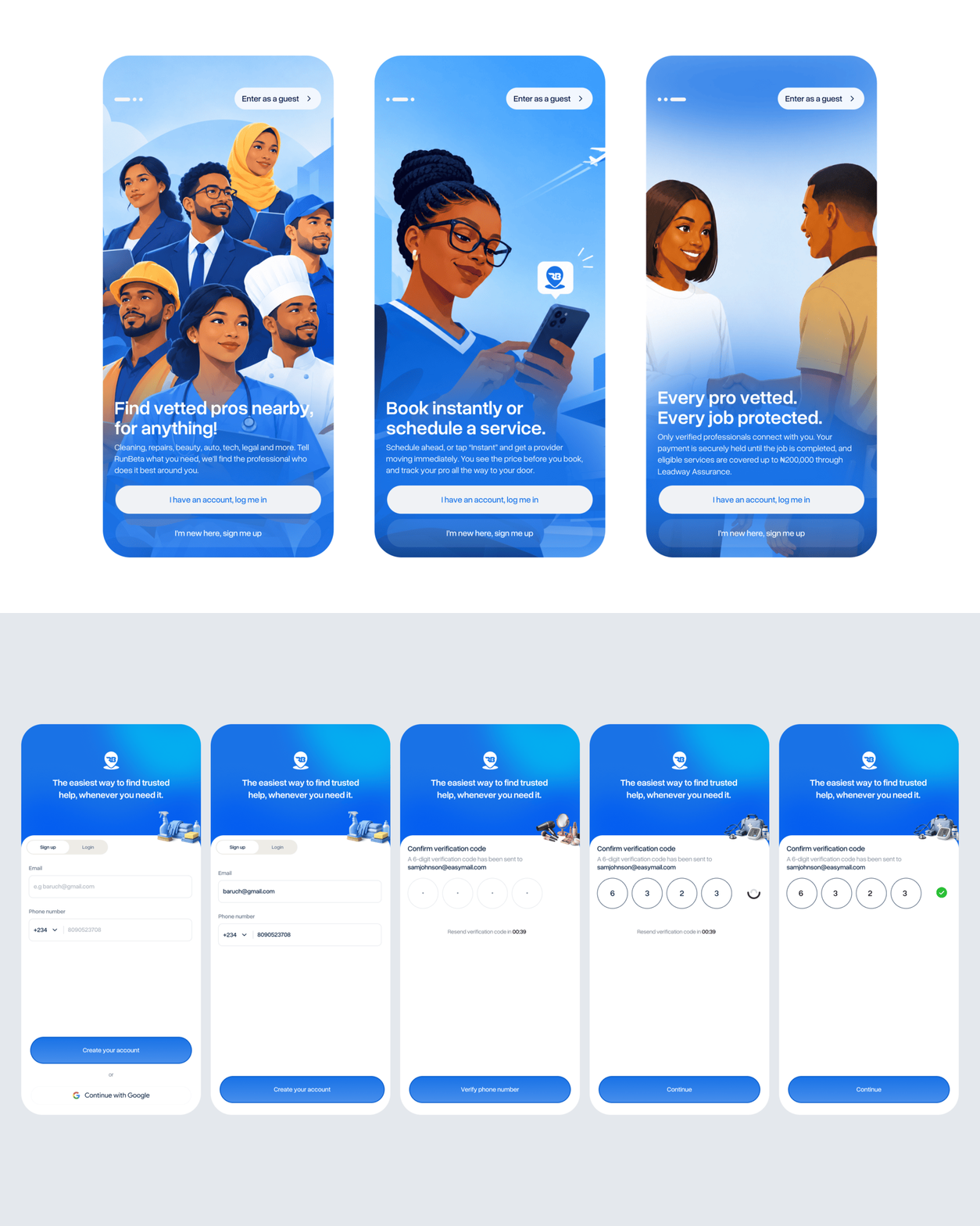
Sometimes the service matters. Sometimes the clock matters more.
RunBeta supports two ways of getting a service:
Book a provider for a planned time.
Request a service when it needs to happen immediately.
Instant services cost a little more because the customer is paying for urgency.
This introduced an important marketplace idea:
Time itself has value.
Instead of treating urgency as something buried inside the booking flow, I made it part of the service experience.
People don't think in service categories. They think in problems.
The traditional marketplace model asks customers to understand the catalogue before they can get something done.
"I need a Home Repair provider."
"My sink is clogged."
So I designed Book with AI around the problem rather than the marketplace.
A customer can describe what they need in natural language and RunBeta works through the request to determine the appropriate service and provider type.
- 1Describe the problem
- 2Understand the request
- 3Identify the service
- 4Ask relevant follow-up questions
- 5Consider urgency and budget
- 6Match suitable providers
- 7Customer confirms
- 8Booking request
- Quality
- Proof of work
- Proximity
- Pricing
- The customer's request
This means Book with AI isn't simply an AI search feature.
It's a matching layer over the marketplace.
It takes some of the complexity of choosing a provider away from the customer.
"My sink is clogged and my cistern isn't working. I need it fixed."
"I want makeup for an owambe and I also need my gele tied. Can I get a good MUA to do both?"
The user doesn't need to know exactly which category to browse or which provider type to search for.
They explain the problem.
RunBeta helps translate that problem into a marketplace action.
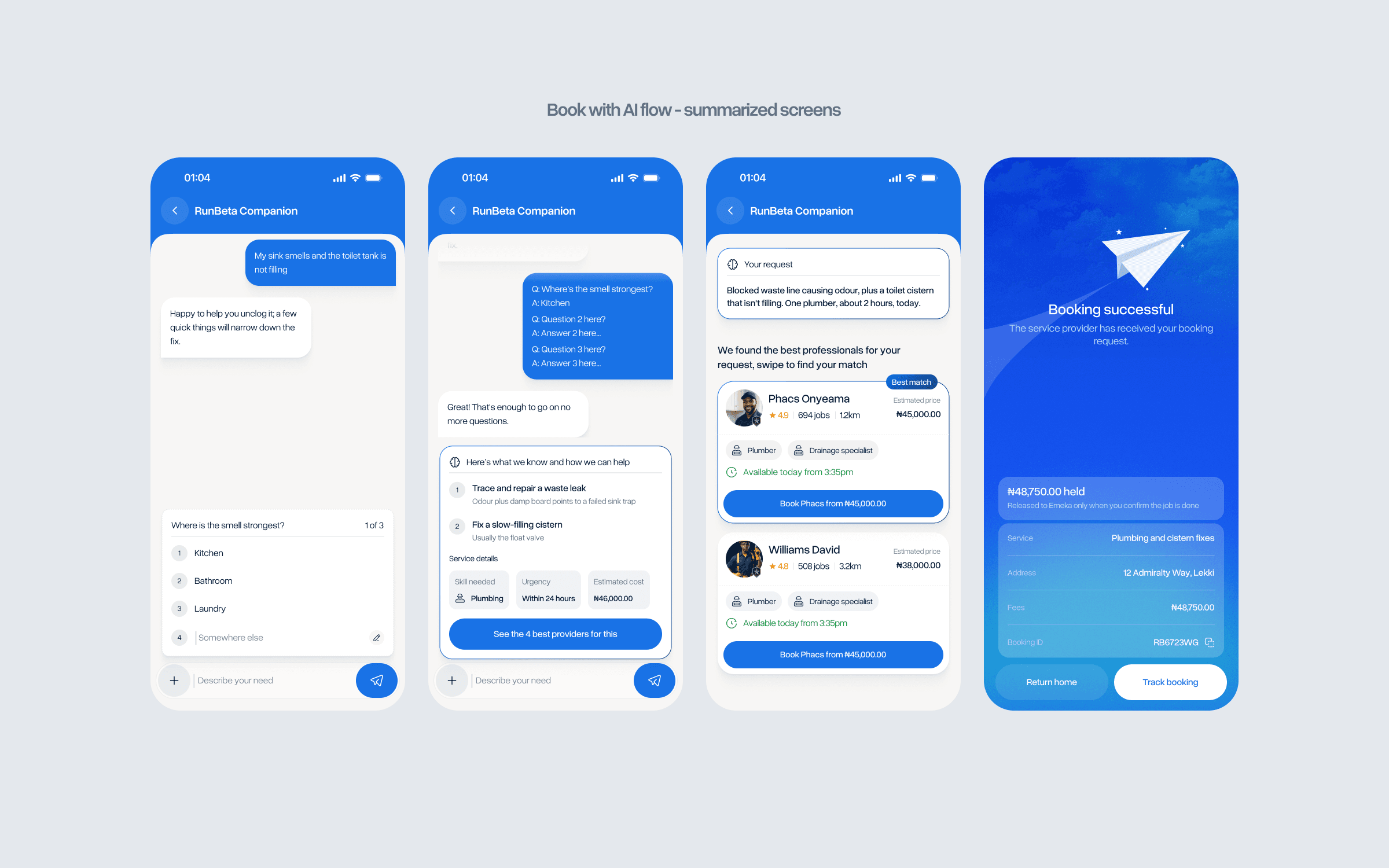
Instead of making customers search the marketplace, let them describe what they need.
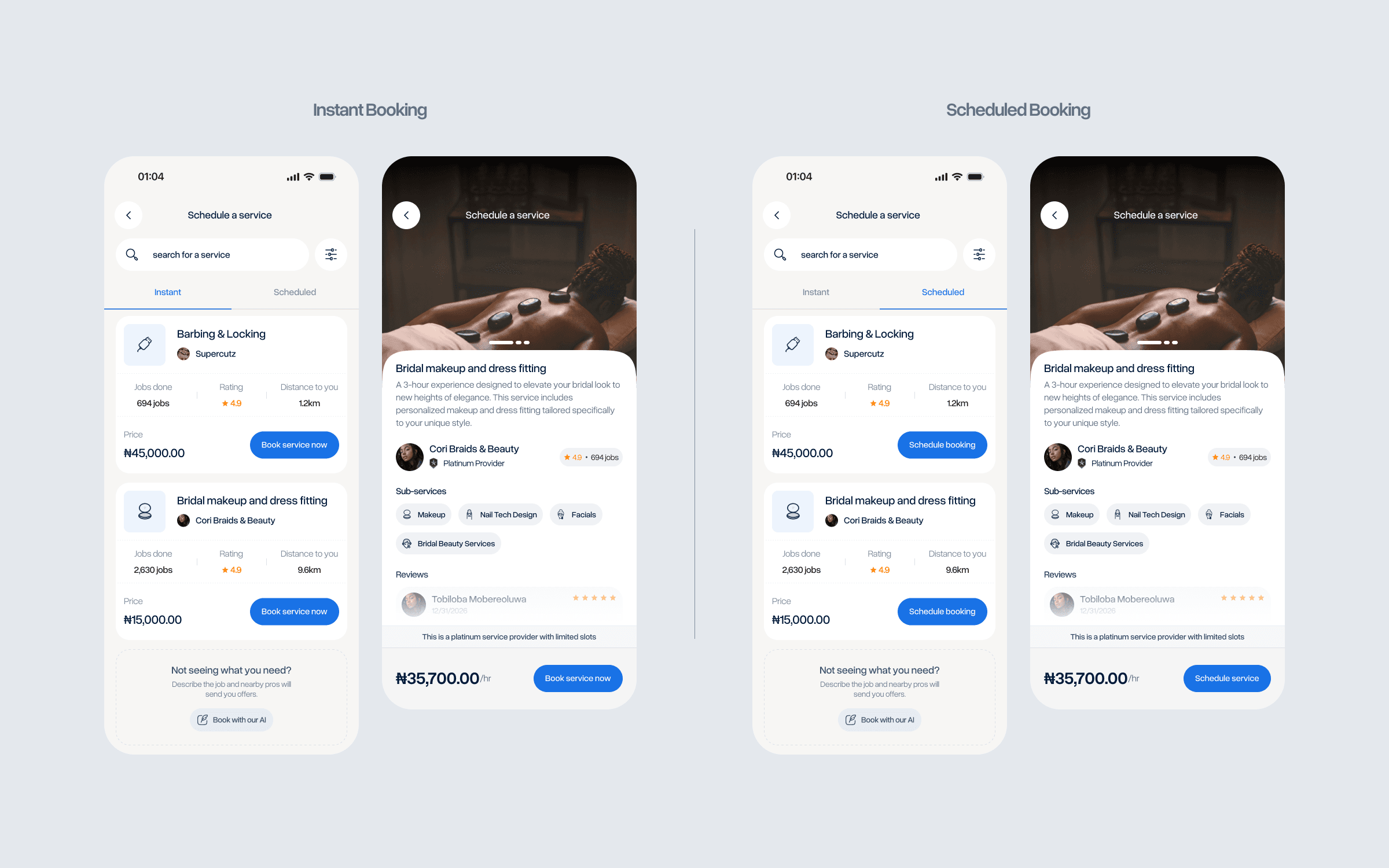
The booking shouldn't be the end of the experience.
The existing product could create a booking, but the experience after that point wasn't developed enough.
The redesign turned the booking into a visible job lifecycle.
Once a provider accepts the work, the customer can follow what is happening through an active booking experience.
- 1Provider confirms
- 2Customer receives confirmation
- 3Provider travels to the customer
- 4Active booking begins
- 5Tasks are visible
- 6PIN confirms the start
- 7Work happens
- 8Provider submits completion
- 9Customer approves
- 10Payment is released
The PIN creates an explicit confirmation point before the work starts.
The provider then submits a completion image when the job is finished, and the customer approves the completed work before the escrowed payment is released.
The transaction is no longer:
Book → wait → hope
It becomes a visible sequence where both sides understand what state the job is in.
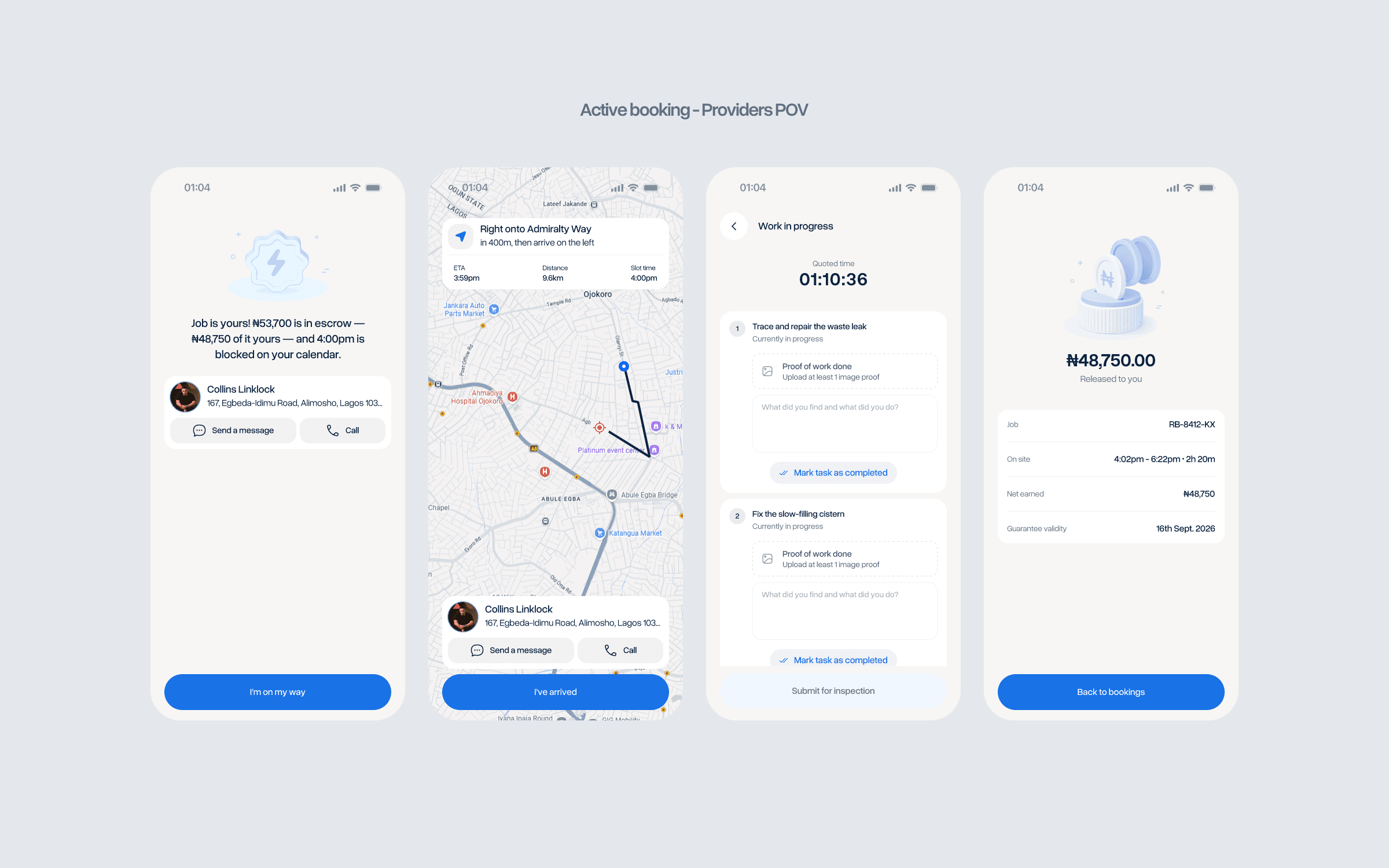
The product doesn't stop at booking. It stays involved until the job is complete.
The job keeps moving even when the app isn't open.
An ongoing service shouldn't require the customer or provider to keep RunBeta open just to know what's happening.
I designed Live Activities for both sides of the marketplace so the current job state can remain visible outside the application.
Dynamic Island
Notification bar
The states are customized according to where the customer or provider is in the job.
The goal is deliberately simple:
Users can leave RunBeta, respond to WhatsApp, browse TikTok, or do something else while still knowing what is happening with their service.
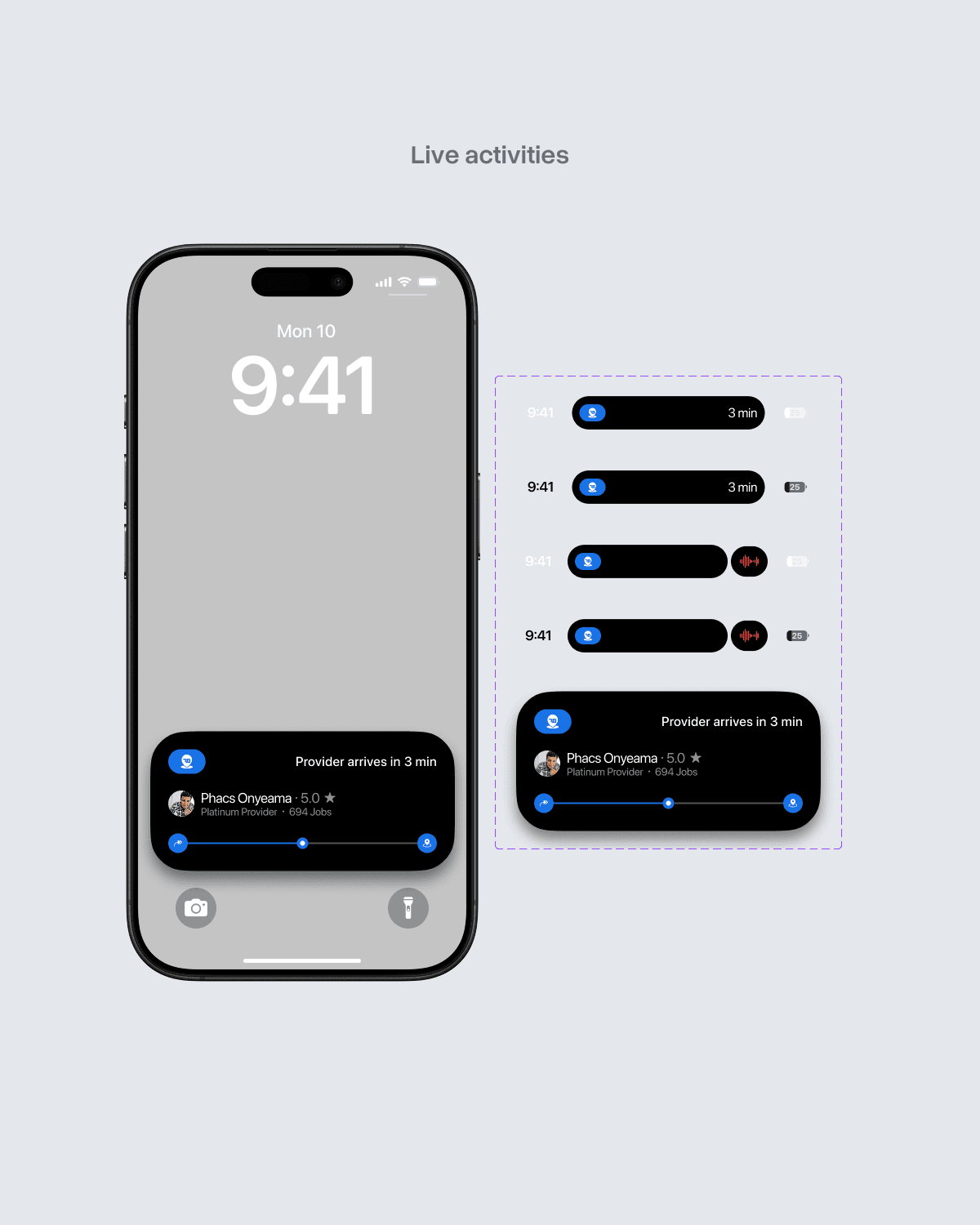
The job keeps moving even when the user leaves the app.
Live Activities are designed but are not yet fully shipped.
RunBeta taught me that a two-sided marketplace isn't really two products.
It's one system with two perspectives.
- A customer's booking creates a provider state.
- A provider's confirmation changes a customer's expectation.
- A completed job changes the payment state.
Every action on one side creates a consequence on the other.
That became the central lesson of the redesign.
I wasn't simply redesigning screens.
I was redesigning the relationship between them.
The 21-day constraint also changed how I worked. I used AI throughout the process to help surface missing screens, edge cases, alternative states and overlooked use cases while keeping the design process moving quickly.
AI didn't make the product decisions for me.
It helped me expand the amount of product I could think through.
RunBeta had the ingredients for a scalable marketplace. I redesigned the experience so the product could finally get out of its own way.